Step by Step Guide to Activate FAB Ratibi Card Online
A Ratibi card arrives from your employer already loaded into the Wage Protection System, but it won’t release a single dirham until it’s activated. For workers receiving their first UAE salary, this is often the single most stressful part of a new job, since a delayed activation can feel like a delayed paycheck even when the money has technically already landed.
Here’s what actually needs to happen to move a Ratibi card from “issued” to “usable,” and where the process trips people up.
Before You Start: What You’ll Need
Activation requires the physical card itself, since the card number and expiry date are part of the verification, along with your Emirates ID for identity confirmation. If your employer hasn’t yet handed over the card or the accompanying activation instructions from Magnati, the WPS payment processor behind Ratibi, activation can’t proceed, so the first step for a genuinely delayed card is confirming with your employer’s HR or payroll team that the card has actually been issued and dispatched.
Step 1: Set Your PIN at an ATM
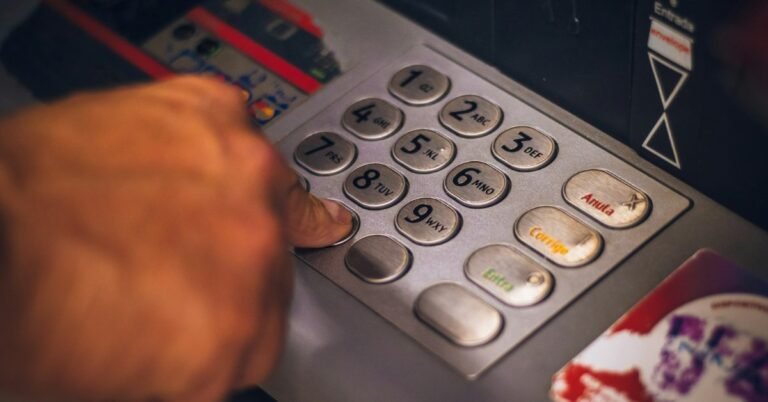
The most common activation path for a prepaid salary card like Ratibi is inserting it into any Visa or Mastercard compatible ATM in the UAE and following the prompt to set a personal PIN. This step alone often activates the card for point-of-sale and ATM use going forward. Choose a PIN you haven’t reused elsewhere, and never write it on the card itself or store it in an unlocked phone note.
Step 2: Confirm Activation Through the Magnati Balance Portal
Once a PIN is set, checking the balance at Magnati’s official inquiry page, ppc.magnati.com/ppc-inquiry, confirms the card is live and showing an accurate balance. If the portal doesn’t recognise the card at all, activation likely hasn’t completed yet, or the card details were entered incorrectly.
Step 3: Register for SMS Salary Alerts
Ratibi cards come with free SMS alerts on every salary credit as a built-in feature. If alerts aren’t arriving after your first WPS payment, it usually means the mobile number tied to the card through your employer’s payroll file needs correcting, something that typically goes through HR rather than directly through Magnati.
If Self-Activation Doesn’t Work
Call the dedicated Ratibi support line, 600 52 2298 within the UAE or +971 2 499 6279 from outside the country, rather than the general FAB banking line, since Ratibi specific issues are handled by a different support team than standard FAB accounts. Have your card number and Emirates ID ready before calling to speed up verification.
Common Activation Problems
- Card rejected at every ATM. Confirm the card hasn’t been damaged in transit and that you’re entering the PIN correctly; a bent or scratched magnetic stripe or chip can cause repeated rejections even with correct activation.
- No balance showing after activation. This is often simply WPS timing. Employers submit salary files on their own schedule, and the first credit can take longer than subsequent ones, particularly if the card was issued close to a public holiday.
- Wrong mobile number on file. Since Ratibi’s registered number typically comes from the employer’s WPS submission, not a self-service app, correcting it usually means asking HR to update their payroll records rather than trying to fix it directly with Magnati.
- Lost the activation instructions. Ask your employer’s payroll administrator for a reissue of the activation guidance that came with the card, rather than searching for instructions on unofficial websites.
A Note on Safety
Activation only ever requires your card details and Emirates ID for identity verification, never your PIN spoken aloud to anyone else, and never an OTP shared with a caller. If a message or call asks for your PIN to “complete activation,” treat it as fraudulent regardless of how official it sounds.
Frequently Asked Questions
How long does it take to activate a Ratibi card?
Setting a PIN at an ATM typically activates the card immediately for transactions. Confirming an accurate balance may take slightly longer if it coincides with the first WPS salary credit.
Can I activate a Ratibi card without visiting an ATM?
ATM PIN setup is the standard method. If an ATM isn’t accessible, contact the Ratibi support line at 600 52 2298 for alternative guidance.
Why hasn’t my Ratibi card received a salary yet after activation?
Activation and salary crediting are separate processes. Once the card is active, salary timing depends entirely on your employer’s WPS submission schedule, which can shift around UAE public holidays.
Who do I contact if Ratibi activation isn’t working?
Call 600 52 2298 within the UAE, or +971 2 499 6279 from outside the country, the dedicated Ratibi support line rather than FAB’s general banking number.
Final Word
Ratibi activation is usually a two-minute ATM visit, not a bureaucratic process, but it depends entirely on having the physical card and your Emirates ID in hand. If it’s genuinely stuck, the fastest fix is almost always a call to the dedicated Ratibi line rather than troubleshooting alone.
Once activation is done, checking the balance regularly is worth building into a habit, and our guide on Ratibi card balance checks in the UAE covers every method. If salary alerts stop arriving after activation, the fix is usually to update the card’s registered mobile number. And when it comes time to send money to family abroad, see how to transfer money from a Ratibi card the safe way.