Al Fardan Exchange PAYEZ Salary Card: How to Check Your Balance (2026)
Al Fardan Exchange pays its WPS customers through a specific product called the PAYEZ card, not a generic “salary card,” and knowing that name changes how you search for help. Search engines are full of guides describing a vague “employee login,” but Al Fardan actually operates two real, working portals, plus ATM and branch options, and mixing up which one applies to you is the single biggest reason people think their balance check isn’t working.
Here is what the PAYEZ card actually is, the verified ways to check its balance, the real fees involved, and what to do when a payment doesn’t show up on time.
What the PAYEZ Card Is (and Isn’t)
PAYEZ is Al Fardan Exchange’s prepaid payroll card, built specifically for its Wages Protection System (WPS) customers, most of whom don’t hold a personal UAE bank account. It launched in April 2019 through a partnership with Mercury, a UAE payment network jointly owned by Network International and First Abu Dhabi Bank, giving cardholders access to more than 140,000 Mercury-enabled point-of-sale terminals and a wide domestic ATM footprint, plus international acceptance through a Discover network partnership for use outside the UAE.
Because the salary sits in “an electronic account associated with the card” rather than a traditional bank account, Al Fardan is explicit in its own terms that the exchange house is not liable for the amount of salary an employer chooses to load, only for processing what the employer submits through WPS. If a balance looks short, the first call should usually be to your employer’s payroll department, not AFEX support.

Method 1: The Employee Customer Portal
Al Fardan does run a genuine online portal for cardholders, hosted at mea.thecardservicesonline.com/mebasecustomer. This is separate from the corporate portal employers use to manage payroll files, so make sure you’re registering on the customer side, not the corporate one, a mix-up that accounts for a lot of “my login doesn’t work” confusion. First-time registration typically asks for your card number and the Emirates ID linked to your WPS enrollment.
Method 2: ATM Balance Inquiry
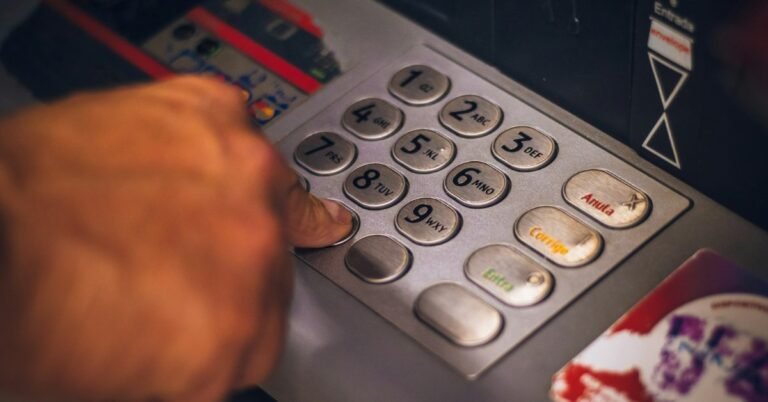
Any ATM carrying the Mercury logo inside the UAE will run a balance inquiry on a PAYEZ card. According to Al Fardan’s published fee schedule, a domestic ATM balance check costs AED 1 plus 5% VAT, and a domestic withdrawal costs AED 2 plus VAT, both charged against the card balance rather than billed separately, so it’s worth checking the balance and withdrawing what you need in the same visit rather than tapping the ATM twice.
Method 3: AFEX Call Centre / IVR
Al Fardan’s call centre, 600 522 265, offers a free automated balance inquiry through its IVR system, plus live agent support for anything more complicated. This is the most useful channel if you’re not confident registering for the online portal, or if the portal is temporarily unreachable and you need a number urgently before a bill is due.
Method 4: In-Branch Balance Check
Any Al Fardan Exchange branch across the UAE can pull up a PAYEZ balance free of charge, and this remains the most reliable fallback if the portal, ATM, and phone line all present some kind of hiccup on the same day, which does occasionally happen after a bank holiday when transaction volumes spike.
Understanding PAYEZ Fees Before You’re Surprised by Them
| Transaction | Fee (plus 5% VAT) |
|---|---|
| Domestic ATM withdrawal | AED 2.00 |
| International ATM withdrawal | AED 25.00 |
| Domestic balance inquiry (ATM) | AED 1.00 |
| International balance inquiry | AED 5.00 |
| Replacement card | AED 10.00 |
| Cross-border transaction | 2% of transaction value |
Balance checks at Al Fardan branches and through the call centre carry no charge, which makes them the better default for anyone checking frequently rather than relying on repeated ATM inquiries that quietly eat a few dirhams each time.
Why Your Salary Timing Changed in 2026
A unified WPS salary deadline took effect across the UAE private sector on 1 June 2026: employers must now pay wages by the first day of the following Gregorian month, and must cover at least 85 percent of total wages due to remain compliant. Non-compliant companies face escalating penalties, from an initial notice within two days of the deadline to work permit suspension and administrative fines within two weeks. If your PAYEZ balance hasn’t updated by the first few days of a new month, this is the deadline to check against before assuming a card or network fault.
Common Issues and How to Resolve Them
- Can’t log into the customer portal. Double check you’re using the employee portal (mebasecustomer) and not the corporate one, and confirm your card has been activated. A signed, activated card is required before any online access works.
- Salary hasn’t landed on the expected date. Check with your employer’s payroll team first; Al Fardan explicitly states it isn’t responsible for the amount or timing an employer instructs, only for processing what’s submitted.
- Card declined at an ATM. Confirm the ATM carries the Mercury logo. Non-Mercury machines may not read the card the same way a standard bank card would.
- Lost or stolen card. Call 600 522 265 immediately to block it. A replacement costs AED 10 plus VAT and is typically available through a branch visit.
- Traveling internationally and need cash. The card works internationally through the Discover network, but the AED 25 plus VAT international withdrawal fee is significantly higher than the domestic rate, so plan larger, less frequent withdrawals rather than several small ones abroad.
Keeping Your PAYEZ Account Secure
Only register through mea.thecardservicesonline.com or by calling the official 600 522 265 line. Never share your card number, PIN, or Emirates ID details with anyone contacting you unprompted claiming to be from Al Fardan or “PAYEZ support”; the exchange house does not request this information through SMS links or unsolicited calls.
Frequently Asked Questions
Is PAYEZ the same as the Al Fardan Exchange salary card?
Yes. PAYEZ is the branded name of Al Fardan Exchange’s WPS payroll card, launched in 2019 in partnership with the Mercury payment network.
Does checking my balance online cost anything?
No. The customer portal and the AFEX call centre IVR are both free. Only ATM balance inquiries carry a small fee, AED 1 domestically plus 5% VAT.
What network does the PAYEZ card use?
Mercury, a UAE payment network jointly owned by Network International and First Abu Dhabi Bank, handles domestic transactions, with international acceptance through a Discover network partnership.
Who do I contact if my salary is late?
Start with your employer’s HR or payroll department to confirm the WPS file was submitted. Al Fardan’s own terms state it processes what employers submit and isn’t responsible for the salary amount or timing itself.
Final Word
The PAYEZ card gives Al Fardan’s WPS customers more legitimate balance-check options than most competing payroll cards, an actual online portal, a free phone line, free branch checks, and ATM access, provided you know which one to use and what it costs. Registering for the customer portal early, before you actually need it in a hurry, is worth the ten minutes it takes.
If your employer instead pays through Al Ahalia Exchange, our guide to Al Ahalia Exchange salary card balance checks covers that process, and if you’re comparing exchange-house payroll cards more broadly, see our breakdown of Al Ansari’s PayPlus salary card system.